Media SUITE
A downloadable tool for Windows
You have thousands of photos and videos scattered across folders, drives, and backups? You have no idea what's a duplicate, what's missing, or why your hard drive is always full?
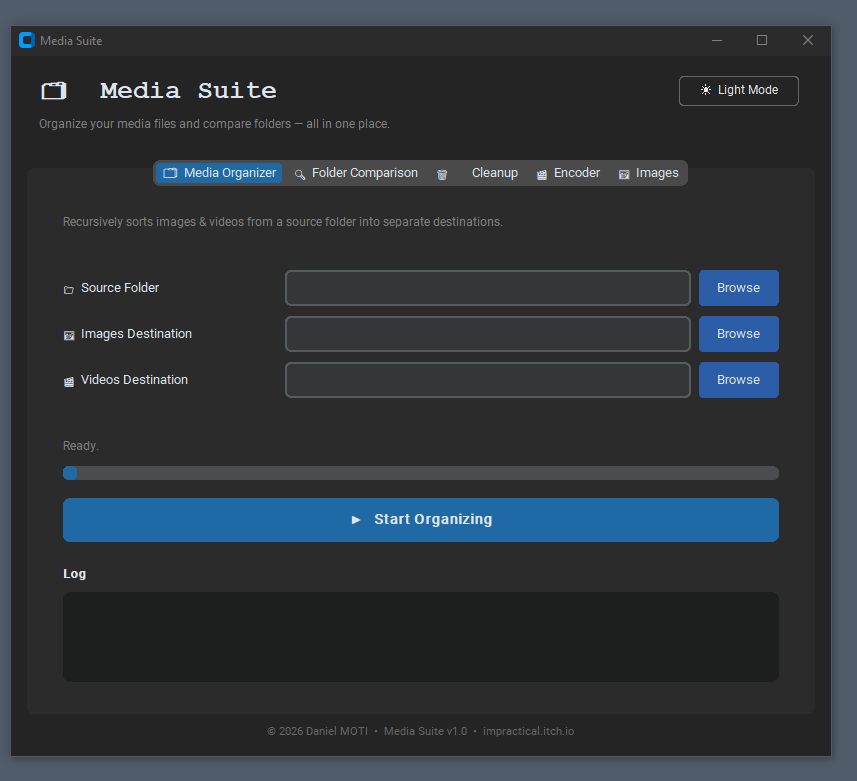
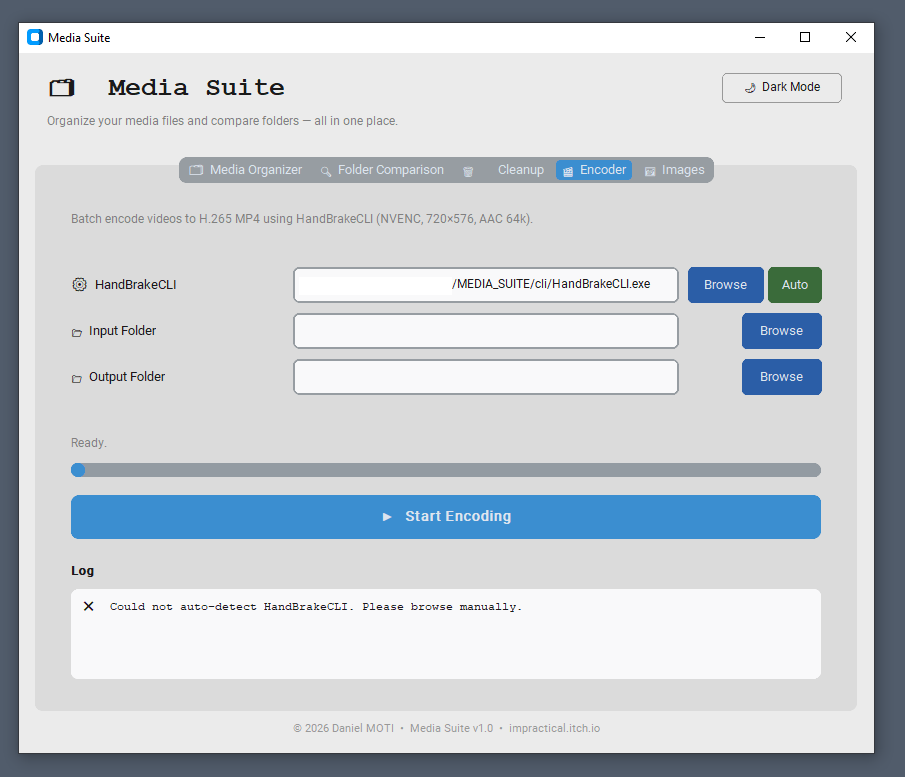
Media Suite is an all-in-one desktop tool for managing, organizing, and processing your media library. Sort photos and videos into separate folders automatically, compare backup copies to catch missing or corrupted files, batch-encode videos to decrease their size with a single click, and bulk-resize or convert images to reduce their footprint on your hard drive with a one press of a button.
Clean, simple, and fast.
MORE DETAILS:
Media organizer
You dumped 4,000 files from an SD card into one folder. Photos, videos, screenshots, all mixed together. Finding anything takes forever. Media SUITE can take this folder and instantly sort everything into a photos folder and a videos folder, including files buried in sub-folders.
Folder comparison
- Missing files
You backed up a folder six months ago. Since then files were added, deleted, or moved. You have no idea what's in the backup vs. what's on your drive right now. Media SUITE can show you exactly which files exist in one place but not the other, so you never restore an incomplete backup again.
- Size anomalies
You edited a file and saved it under the same name. Now two folders have a file called the same thing, but one is the old version. You can't tell which. Media SUITE can flag every file where the two copies differ in size, so you can immediately spot which version was changed.
Cleanup
After comparing two folders, you found duplicates, but deleting the right one manually from two different windows is error-prone and slow. Media SUITE can show you a preview of every file it will remove, tells you exactly what it's keeping and why, then deletes on your say-so. This works for both videos and photos.
Video compression
Your video folder is eating your entire hard drive? You know there's a way to make the files smaller without losing too much quality*, but it involves procedures that are often very complex.
Media SUITE can shrink every video with a single button. Any video that ends up larger than the original is automatically flagged so you always know the results of the process.
From 1 GB video → under 100 MB — up to 90% smaller!
*The encoding settings were refined over months of real-world testing to squeeze the most quality out of the smallest possible file. The results may not be perfect therefore, for anything where quality is critical, use of HandBrake directly for full control.
Image compression
Your photo library is taking up 40 GB? You want to send or upload them but they're too large. Editing each one manually is not an option when you have thousands. Media SUITE processes an entire folder of images at once, resize, convert, and compress. Any image that ends up larger than the original is automatically flagged so you always know the results of the process.
8 MB photo → under 500 KB — up to 94% smaller!
Who it's for?
Photographers = Raw shoots, duplicates, and scattered client folders fill drives fast. Auto-separate edited vs. original files. Batch-resize for web delivery. Compare backup folders for missing files.
Parents = Years of family memories scattered across phones, laptops, and old drives. Offload and compress phone or camera dumps. Auto-separate photos from videos. Verify backup completeness.
Content Creators = 50GB raw footage per video, clips everywhere, renders multiplying. Batch-encode raw footage to shrink size. Auto-split media types for easy sorting. Compare project backups.
Small Businesses = Hundreds of inconsistent product photos slow down websites and workflows. Bulk-resize images for web. Convert to consistent formats. Auto-separate media into project folders.
Real Estate Agents = New property photos and videos per listing create naming chaos and huge files. Compress walkthrough videos. Bulk-resize listing photos. Auto-separate media by property folder.
Wedding & Event Vendors = 3,000 photos plus 2 hours of video per event; delivery prep takes half a day. Batch-encode event videos for delivery. Bulk-resize gallery images. Auto-separate photos from video.
Freelancers = Years of client folders with drafts, finals, revisions—storage always maxed out. Compare draft vs. final folders. Spot duplicate assets across projects. Compress archived projects.
Teachers & Educators = Class recordings and lesson assets in messy school drives with limited storage. Batch-encode class recordings to shrink size. Auto-separate media by subject folder. Bulk-resize presentation images.
Gamers & Streamers = Hundreds of gigabytes of unwatched clips, highlights, and stream recordings. Compress stream recordings. Auto-separate clips by game folder. Shrink highlight reels for sharing.
Travelers = Trips dump hundreds of photos and videos into identical Camera Roll folders. Auto-separate photos from videos. Compress travel footage. Spot duplicate shots across trips.
Journalists and Photojournalists = Field shoots, tight deadlines, archival needs across devices. Auto-separate media by event or date. Batch-encode for wire upload. Compare backup copies for integrity.
Social Media Managers = Platform-specific sizing, brand libraries, constant content churn. Bulk-resize for Instagram, TikTok, and YouTube. Convert to consistent formats. Auto-separate assets by campaign.
Online Course Creators = Lesson videos, slides, and student submissions piling up. Batch-encode lecture recordings. Auto-separate media by module. Bulk-convert deliverables for learning management systems.
Food and Lifestyle Bloggers = High-volume recipe photos and step-by-step videos needing web optimization. Bulk-resize for blog and social media. Convert to web-friendly formats. Auto-separate photos from tutorial videos.
Architects and Designers = Render files, portfolio images, client presentations in mixed formats. Bulk-resize for portfolios and web. Batch-encode walkthrough videos. Auto-separate media by project folder.
Museums, Archives, and Nonprofits = Digitization projects, grant reporting, public sharing with limited storage. Batch-encode for web access. Auto-separate by collection or subject. Verify backup integrity.
Fitness Coaches and Trainers = Client progress photos, workout videos, program assets multiplying. Bulk-resize for app delivery. Batch-encode session recordings. Auto-separate before and after shots.
Anyone with a Full Hard Drive = Storage warnings, mostly photos and videos, manual cleanup feels overwhelming. Reclaim gigabytes fast with one-click compression. Auto-separate media types.
Purchase
In order to download this tool you must purchase it at or above the minimum price of $14.99 USD. You will get access to the following files:
Leave a comment
Log in with itch.io to leave a comment.